Best Remote Power Cycle Switches for Easy, Automated Reboot and Power Control
Remote power cycle switches let you monitor connectivity and remotely reboot critical equipment. The top picks below are best suited for home offices, small businesses, and IT setups that require reliable auto-restart, scheduled cycling, or remote management over LAN, Wi‑Fi, or the Internet. Each product is evaluated for its connectivity options, ease of use, and practical limitations to help you choose quickly.
| Product | Best For | |
|---|---|---|
| UIS-722b (MSNSwitch2) | Modem/Router uptime with cloud control | 2 independent outlets with auto-reboot on connectivity loss |
| EZ-72b (ezOutlet5) | Single-outlet remote reboot over Wi‑Fi | Broadband failover auto-reboot |
| EZ-73a (ezOutlet5-2R) | Dual-outlet remote control, cloud and local access | Two outlets with automatic reboot on connectivity loss |
| UIS-722T (MSNSwitch2, TA A compliant) | Networked devices in regulated environments | Two outlets with auto-reset and scheduled cycling |
| Professional 2-Port Remote Power Switch | Web-managed, centralized power distribution | Independent outlets with power-on/off, reboot scheduling |
All five options support automated cycling, remote reboot, and web or app control. Where they differ is the number of outlets, networking options (Wi‑Fi, Ethernet, cloud services), and whether monitoring is built in. Review the detailed product sections to determine which fits your equipment, environment, and preferred management method.
MSNSwitch2 Internet Enabled IP Remote Power Switch

ezOutlet5 – Internet Enabled IP Power Switch
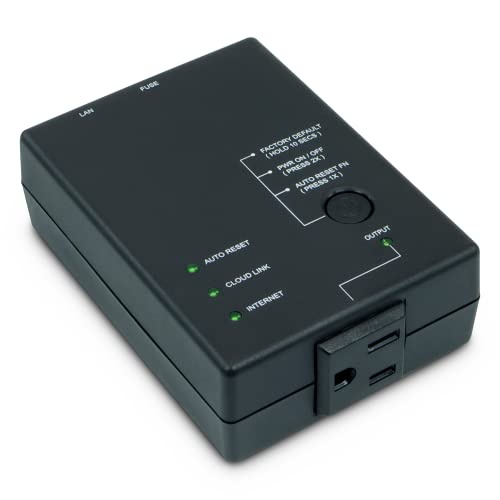
ezOutlet5-2R Dual Outlet Remote Power Switch

MSNSwitch2 Internet Enabled IP Remote Power Switch (TAA Compliant)
Professional 2-Port Remote Power Switch

Buying Guide
What should you consider when choosing a remote power cycle switch? Start with the number of outlets and the type of connectivity. Then review controls, scheduling, and how the device handles outages or reboots. Consider installation requirements, whether cloud access is needed, and if local control via LAN is sufficient. Finally, assess reliability features such as auto-ping, watchdog-style reboot, and compatibility with your existing network gear.
Connectivity And Control
Most options offer Ethernet or Wi‑Fi for network access. Some models provide cloud services or mobile apps for remote control, while others emphasize on-device web interfaces. Choose based on whether you want remote access from anywhere (cloud) or only local control on your network (LAN).
Outlets, Scheduling, And Reboot Behavior
Two outlets are common in dual-outlet models, with each outlet independently controllable in many cases. Look for pre-configured auto-restart after connectivity loss and user-definable power cycles. If you need a timed sequence, ensure the unit supports scheduling and delayed reboots to suit maintenance windows.
Reliability And Environment
If devices are placed outdoors or in humid areas, waterproof or IP-rated housings are important. For sensitive equipment like modems and routers, a quick auto-reset when a connection is restored can minimize downtime. Consider build quality, ease of setup, and whether a model is TA A compliant for government procurement needs.
Security And Compatibility
Ensure the device supports secure connections and authenticated API access if you plan to script power actions. Verify that it works with your current router, NAS, or smart home ecosystem if you intend to integrate with other devices or voice assistants.
Verdict: Which Should You Buy?
Best for cloud management and multi-outlet scenarios: ezOutlet5-2R or MSNSwitch2 with dual outlets and cloud/app control. Best for single-outlet needs and tight budgets: ezOutlet5 (EZ-72b). Best for hardware-managed environments requiring robust web control: Professional 2-Port Remote Power Switch. If you need a TA A compliant option, choose the UIS-722T variation of the MSNSwitch2.
Frequently Asked Questions
- What is a remote power cycle switch? A device that remotely powers on/off and reboots connected equipment, often with scheduling and monitoring features.
- Do these require special software? Many use a native app, web interface, or cloud service; some offer API access for automation.
- Can I control these from anywhere? Some models include cloud access for remote control; others require local network access only.
- Are they suitable for outdoor use? Only models with IP ratings or waterproof housings are recommended for outdoor use.
- Will these improve modem/router uptime? Yes, automatic reboot on connectivity loss can restore device availability quickly.
- What about security? Look for password protection, encryption, and secure API options to minimize exposure.