Best 7 Pin Data Cable Guide: Top Cables for SATA, DIN and More
Choosing the right 7-pin data cable can improve data transfer reliability and device compatibility across PCs, notebooks, and audio systems. This guide highlights five 7-pin cables and related adapters that cater to internal SATA connections, DIN interfaces, and upgrade options. Each option is shown with its key features to help you compare at a glance and pick the best fit for your setup.
| Product | Type | Primary Use | Length |
|---|---|---|---|
| Menewstart SATA Cable V3.0 | SATA 7-pin | Internal HDD/SSD connections | 15 inches |
| DKARDU 2 Pack Slimline SATA Cable | SATA 7-pin | Notebook to desktop drives, power via LP4 | 50 cm |
| Shuigu 7 Pin DIN Cable | 7-pin DIN | Professional audio/controller interfaces | 1.5 meters |
| DRRI 7 Pin to DB9 GPS Data Cable | 7-pin to DB9 | GPS/Survey equipment and similar interfaces | 1 meter |
| SG Store 4pcs 50cm SATA Extension Cable | SATA 7-pin extension | External data transmission for drives | 50 cm |
Menewstart SATA Cable V3.0 7-Pin Cable
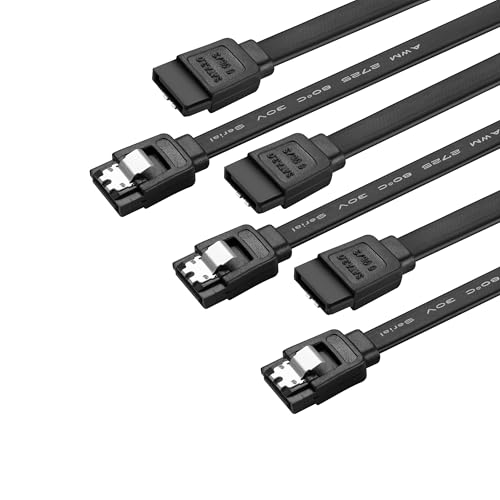
This SATA V3.0 cable uses a 7-pin locking latch to connect motherboards and host controllers with internal Serial ATA drives and optical devices. It delivers data transfer speeds up to 6 Gbps when paired with compatible hardware, and it remains backward compatible with SATA I and SATA II devices. Note that power is not provided by this cable; the drive requires separate power. Ideal for upgrading internal storage with a stable, direct connection.
DKARDU 2-Pack Slimline SATA Cable

The DKARDU solution provides a 7-pin SATA data connection plus a 6-pin Slimline power adapter cable to LP4, enabling a cost-effective way to power SATA drives from a power supply that lacks a native SATA connector. This makes it suitable for laptop-based drives or slim HTPC builds where a separate power upgrade would be inconvenient. Compatibility spans common notebook and desktop configurations, with a focus on practical, budget-conscious installations.
Shuigu 7 Pin DIN Cable

The Shuigu 7 Pin DIN cable is designed for power box current transmission, system control, and signal docking with a 1.5-meter length for added reach. The DIN male-to-male connection provides a tight fit and stable signal transmission. Its rugged construction helps prevent loose connections in professional audio and control room setups, making it a reliable choice for high-fidelity systems and control networks requiring secure DIN connections.
DRRI 7 Pin to DB9 GPS Data Cable

The DRRI 7-pin to DB9 cable is designed for GPS and surveying equipment connections, including Trimble systems. It features a 7-pin to DB9 configuration with a flexible build that supports various installation lengths. This cable helps bridge legacy equipment with modern interfaces, enabling reliable data transfer in field and lab environments where DB9-compatible devices are still in use.
SG Store 4pcs 50cm SATA Extension Cable

This package includes four 50-centimeter SATA 7-pin extension cables, enabling flexible connections for external hard disks, docking stations, or internal drive bays. The male-to-female design supports straightforward data transmission across compatible SATA devices while offering portability and convenience for cabling in compact builds or test environments.
Buying Guide: Key Considerations for 7-Pin Cables
- Connector type and compatibility: Confirm the 7-pin format (SATA, DIN, or other) matches your device’s interface and your motherboard or controller. Some cables include power or adapter features; ensure you don’t rely on data-only cables for powered drives unless power is provided separately.
- Data vs. power requirements: SATA 7-pin data cables do not carry drive power. If your setup requires power, choose a cable with an integrated power path or plan to supply power through a separate connector (e.g., LP4/Molex).
- Length and signal integrity: Longer cables can introduce signal degradation. Select the shortest length that meets your layout needs, and consider shielded options for environments with potential interference.
- Backward and forward compatibility: Some 7-pin cables advertise compatibility with older SATA revisions. Ensure your drives and controllers support the rated speeds (e.g., 6 Gbps for SATA III) to avoid bottlenecks.
- Build quality and durability: Look for locking latches, robust housings, and flexible insulation for repeated connections in desktop and server environments. DIN cables should offer secure fits to prevent intermittent connections.
- Application scope: For notebooks or slim PCs, slimline or extension variants may be needed. For audio or professional control systems, DIN cables emphasize signal integrity and shielding.
- Availability of accessories: Some bundles include multiple cables or adapters, offering cost savings and simplified inventory management for larger builds or testing labs.
Technical Overview: How to Choose
In selecting a 7-pin data cable, prioritize the interface your device uses (SATA vs. DIN), the required length for your setup, and whether you need additional power delivery. For internal storage upgrades, a pure data cable (SATA 7-pin) plus a separate power source is standard. For remote or field installations, DIN-based or DB9 adapters may provide compatibility with older equipment. Extenders or bundles can simplify multi-device layouts and testing workflows. Always verify that the cable materials and shielding minimize EMI and signal loss to preserve data integrity.