Best Wall Mount 19″ Rack Solutions for Compact IT Setups
Looking for a sturdy wall-mount 19″ rack to keep AV gear, network equipment, and servers organized in a tight space? This guide highlights top wall-mount racks that balance durability, airflow, and ease of access. Each option is well-suited to small server rooms, home offices, or closet data centers. The selections emphasize open-frame designs for cooling, clear cable management, and practical mounting depth.
Buyer profiles: the NavePoint picks are ideal for budget-friendly, space-conscious IT closets; Tecmojo models suit small workspaces needing quick access and straightforward assembly; StarTech offers a compact option for environments prioritizing a ready-to-install, low-profile solution. A quick summary helps compare core specs at a glance.
| Product | Mount Type | Depth | U-Size | Best For |
|---|---|---|---|---|
| NavePoint 12U | Wall Mount/Open Frame | 18 in | 12U | Small server rooms needing 180-degree access |
| NavePoint 6U | Wall Mount/Open Frame | 16 in | 6U | Compact AV/IT setups with good airflow |
| Tecmojo 4U | Wall Mount/Open Frame | 14 in | 4U | Shallow spaces; quick open access |
| Tecmojo 9U | Wall Mount/Open Frame | 18 in | 9U | Mid-size equipment with rear access needs |
| StarTech 6U | Wall Mount/Open Frame | 13.78 in | 6U | Very compact, low-depth installations |
NavePoint 12U Wall Mount Rack with Swing Gate

The NavePoint 12U wall mount rack uses 1.5mm cold-rolled steel with a black powder coat for durability. Its 18″L x 20″W x 25″H dimensions fit standard 19″ equipment, and it supports up to 55 lbs. An 18-inch depth accommodates typical network devices and AV components. Best for small server rooms where rear access is needed without removing gear from the rack.
Why chosen: The swing gate design offers 180-degree access from either side and can be removed for maintenance. The open frame encourages passive cooling, which helps maintain equipment temperature in tight spaces. Caution: Heavier gear may require careful weight distribution to maintain stability on a wall mount.
NavePoint 6U Wall Mount Rack

This 6U open-frame wall rack is crafted from 1.5mm SPCC cold-rolled steel and measures 15.8″L x 20″W x 13.65″H with a 16″ depth. It supports up to 200 lbs., delivering a robust option for compact networks and AV setups. Best for users who need a deeper wall mount than many shallow brackets while maintaining space efficiency.
Why chosen: Open design improves airflow and access, simplifying cable management. A note: it ships flat-packed and is adaptable to 2-post mounting, which is useful for varied installation spaces. Limitations: ensure the wall can bear the weight when loaded near capacity.
Tecmojo 4U Wall Mount Rack

The Tecmojo 4U rack offers 14-inch mounting depth and a 110 lbs (50 kg) weight capacity. It is constructed from cold-rolled steel with an electrostatic powder coat for rust resistance. Preassembled or easily opened for immediate use; can be placed flat or mounted on a wall. Best for shallow spaces needing quick, tool-free setup.
Why chosen: The open-frame design supports straightforward inspection, cable management, and side-panel cable routing. Caution: no built-in security features; consider lockable doors if security is a concern in shared spaces.
Tecmojo 9U Wall Mount Rack

The 9U Tecmojo wall mount rack features 18-inch depth and 16-inch apart mounting holes with 180-degree swing for rear cable access. Built from cold-rolled steel with a durable electrostatic finish, it supports up to 110 lbs. Best for mid-sized IT gear and A/V devices needing flexible installation and rear access from either side.
Why chosen: The 180-degree swing gate facilitates service and upgrades without removing equipment. Caution: verify mounting hole spacing matches your hardware to avoid incompatibilities in tight confines.
StarTech.com 6U Wall Mount Network Rack
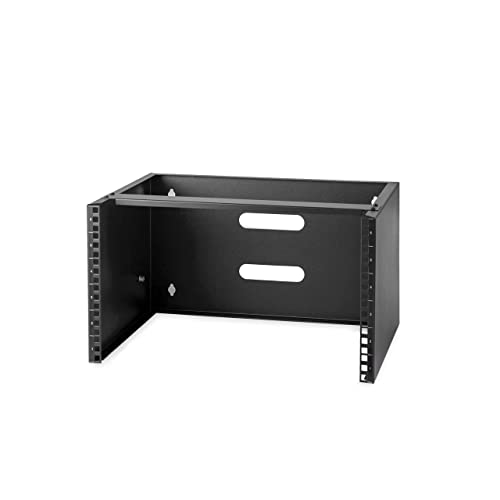
The StarTech 6U wall mount rack is a low-profile 6U bracket with a 13.78-inch maximum mounting depth and a 44.2 lb weight rating. It ships fully assembled and includes mounting hardware. Best for ultra-compact spaces where a ready-to-install solution is essential.
Why chosen: Cold-rolled steel construction and pre-supplied screws simplify installation. Caution: lower weight capacity may limit the number or size of devices you can mount compared to larger units.
Buying Guide: Key Considerations For Wall-Mount 19″ Racks
- Depth and mounting footprint: Match the rack depth to your equipment and wall space. Deeper racks provide more compatibility with larger devices but require more wall clearance.
- Weight capacity: Ensure the rack can safely bear the combined weight of all mounted equipment. Plan for future growth to avoid overloading.
- Access and cooling: Open-frame designs aid passive cooling and cable management. Consider swing-gate options for easier rear access during maintenance.
- Security: Some enclosures include lockable doors or panels. If the space is shared, security features may be essential.
- Ease of assembly: Some racks ship flat-packed or require assembly. Pre-assembled models save setup time but may have smaller weight limits.
- Mounting orientation: Determine if you need vertical or horizontal cable routing, and whether rails support 2-post mounting or single-post configurations.
- Compatibility: Verify standard 19″ equipment compatibility, rail spacing, and punch-out options for cable management.
- Installation location: Consider wall studs, drywall anchors, or solid backing. Confirm the wall can support the rack’s weight when loaded.
FAQ: Wall Mount Racks For 19″ IT And AV Equipment
- What is a wall-mount rack best for?
Wall-mount racks maximize space in small rooms and closets while keeping equipment organized and accessible for maintenance. - How do I choose the right depth?
Pick a depth that fits your equipment depth plus some clearance for cables and airflow; deeper racks suit larger devices and more cables. - Should I prioritize swing gates for rear access?
Yes, swing gates greatly simplify maintenance by allowing front and rear access without removing gear. - Is a higher U-size always better?
Not necessarily; larger U-size provides more space but increases depth and wall load. Balance needs with space constraints. - Do wall-mount racks require professional installation?
Most can be installed by a capable DIY homeowner, but ensure proper wall mounting with studs or anchors and adhere to weight limits. - Can I mix AV and IT equipment in the same rack?
Yes, provided the rack’s weight rating and rail configuration support the combined devices and proper cable management is maintained.