Best Unmanaged Switch With PoE for Small Business and Home Office
Need a simple, plug-and-play PoE switch for powering cameras, phones, or wireless access points without extra software? This guide highlights five unmanaged PoE switches that deliver reliable power and easy setup. Each model is suited to specific needs—from compact desktops to larger, higher-power deployments—so you can pick the right one for your network. The buyer will benefit from a clear, side-by-side comparison to help choose the best fit for surveillance, IP phones, or wireless access points.
Summary table of selected products:
| Product | Port Count (PoE) | Typical Use | Best For |
|---|---|---|---|
| TP-Link LS108GP | 8 PoE+ | Surveillance, small office | Surveillance cameras and PoE devices with Extend Mode |
| NETGEAR GS305P | 4 PoE+ + 1 uplink | Entry-level office, VoIP | Simple IP phones and cameras |
| TP-Link TL-SG1005P | 4 PoE+ + 1 non-PoE | Desk setup with QoS needs | Video/voice prioritization |
| NETGEAR GS308PP | 8 PoE+ | Small to medium deployments | Higher PoE needs on multiple devices |
| NETGEAR GS316PP | 16 PoE+ | Powerful, scalable networks | Larger camera or AP deployments |
TP-Link LS108GP 8-Port PoE Switch

Best for: Small offices or surveillance setups requiring silent operation and extended PoE reach. This model provides 8 PoE+ ports with a total power budget of 65W and up to 30W per port, enabling multiple cameras, IP phones, or access points from a single switch. Extended Mode boosts PoE transmission distance up to 820 feet, supporting larger premises.
Why selected: It combines solid PoE capability with Extend Mode for longer cable runs, making it a practical choice for larger rooms or campuses without trenching more cables. The PoE Auto Recovery feature helps keep devices online after transient power drops.
Caution: While powerful, its total PoE budget may limit multiple high-wattage devices in one area. Plan device placement accordingly.
NETGEAR GS305P 5-Port PoE Switch

Best for: Desktops or small offices needing plug-and-play power for cameras or VoIP phones with minimal footprint. This 5-port design includes four PoE+ ports and a dedicated uplink port, delivering simple, silent operation in a compact metal case.
Why selected: It offers a straightforward, budget-friendly option for users who want to add PoE without extra management features. The non-blocking speed ensures stable performance for streaming video and voice traffic.
Caution: The total power budget is modest; avoid deploying many high-wattage devices on all PoE ports simultaneously.
TP-Link TL-SG1005P 5-Port PoE Switch

Best for: Desk-level deployments requiring QoS and simple power management. Four PoE+ ports deliver up to 30W per port for IP cameras or phones, while a single non-PoE port provides high-speed uplink.
Why selected: It combines plug-and-play convenience with useful software-like features such as QoS and IGMP Snooping, which helps ensure stable video and voice transmission without full management software.
Caution: The power budget is limited to 65W total; consider device wattage when planning multi-device setups.
NETGEAR GS308PP 8-Port PoE+ Switch
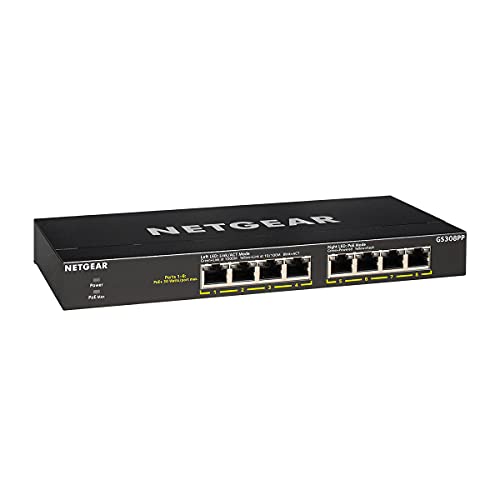
Best for: Small business environments that require multiple PoE devices with straightforward setup and a higher PoE budget. It provides 8 PoE+ ports and a total budget of 83W.
Why selected: The larger PoE budget supports several cameras or access points simultaneously, making it a practical upgrade from entry-level models. It remains fanless for quiet operation.
Caution: While fanless, the device can still generate heat in dense deployments; ensure adequate ventilation in the enclosure.
NETGEAR GS316PP 16-Port PoE+ Switch

Best for: Expanding networks with multiple PoE devices across larger spaces. The 16 PoE+ ports support a comprehensive deployment while offering a significant total power budget of 183W.
Why selected: It enables scalable growth, suitable for surveillance, hospitality, or multi-AP deployments. Plug-and-play operation remains a benefit for teams seeking straightforward management-free networking.
Caution: Larger footprint and power requirements; plan rack or desk space accordingly and ensure adequate cooling in busy setups.
Buying Guide: Key Considerations For Choosing An Unmanaged PoE Switch
How many PoE ports do I need?
Count the devices you plan to power now and in the near term. If you expect growth, choose a switch with more PoE ports or a higher total power budget to avoid replacing units later.
What about total power budget?
PoE budgets vary widely. A higher total budget allows powering multiple high-wattage cameras or devices. Balance port count with power capacity to prevent overload.
Extend Mode and longer cable runs—how important?
Extend Mode increases PoE transmission distance, which is useful for large properties. If you plan cameras or APs far from the switch, this feature improves coverage.
Do I need QoS or IGMP Snooping?
QoS prioritizes time-sensitive data like voice or video, reducing jitter. IGMP Snooping helps manage multicast traffic for efficient video streams. These features improve performance without full management software.
Size, noise, and placement
Desktop vs. wall-mountable and fanless designs affect where you can install the switch. For quiet office environments, fanless, compact models are ideal, while larger deployments may need a rack-friendly chassis.
Is auto-recovery important?
Automatic PoE recovery can restart cameras or APs after a fault, reducing manual intervention and downtime in surveillance or enterprise deployments.
FAQ
- What is an unmanaged PoE switch?
- Can PoE power cameras and phones at the same time?
- What is Extend Mode?
- Do these switches support VLANs or managed features?
- Is silent operation important for office use?
- How do I choose between 4-port and 8-port models?
An unmanaged PoE switch provides plug-and-play networking with PoE power for devices, without requiring firmware updates or complex configuration.
Yes, as long as the total PoE budget and per-port wattage support the devices you connect. Check port wattage (usually 30W per PoE+ port) and overall power budget.
Extend Mode lengthens the PoE transmission distance beyond standard limits, enabling devices farther from the switch, usually at a reduced data rate.
Unmanaged PoE switches do not offer user-configurable VLANs or advanced management. They are designed for simple, reliable plug-and-play deployments.
Yes. Many models in this category are fanless and designed for quiet operation, suitable for desks, offices, and small conference rooms.
Consider current device count, future growth, and power needs. If you plan multiple IP cameras or APs, an 8-port or higher model with a larger budget is recommended.