Best Keyless Connected Smart Door Lock Options for Modern Homes
Answering the need for secure, convenient entry, these keyless connected smart door locks offer remote control, flexible access, and integration with voice assistants. This guide highlights five strong choices for American homes, focusing on reliability for homeowners who want no-hassle entry, remote monitoring, and multiple unlocking methods. Best for busy households, frequent guests, or property managers who value clear access control and real-time status updates.
PHILIPS WiFi Keypad Door Lock With Handle

Best for: Homeowners who want direct 2.4GHz WiFi connectivity with no hub. This lock supports remote control via the Philips Home Access App, real-time status checks, and a voice option with Alexa or Google Assistant. It includes a keypad, fingerprint unlock, and auto-lock features, simplifying daily use for families and guests.
Why selected: Built-in WiFi and intuitive app control make remote access straightforward, while hands-free voice compatibility adds convenience for busy households. The included keypad and fingerprint unlock diversify access methods.
Limitation: Requires a stable 2.4 GHz network. Some users may need to coordinate their router placement for best range.
PHILIPS Wi-Fi Door Lock With Built-In WiFi

Best for: Households seeking flexible unlocking options including app control, passcodes, fingerprints, physical keys, and voice commands. It supports remote locking/unlocking and a family-friendly unlock process with multiple password modes.
Why selected: Built-in WiFi eliminates extra hubs, and the multiple unlock methods accommodate varied user preferences. Voice control adds hands-free convenience when the user’s hands are occupied.
Limitation: Batteries are not included; plan for supply and replacement timing to avoid outages.
Schlage Encode Smart Wi-Fi Deadbolt Lock

Best for: Homeowners who want robust access management with up to 100 user codes, remote operation via WiFi, and strong compatibility with Alexa and Google Home. This model suits larger households or rental properties needing clear access tracking.
Why selected: Integrated WiFi and app-based control deliver versatile access management. Notifications and history help keep you informed about who entered and when.
Limitation: Requires a secure WiFi network and setup through the Schlage Home app; initial configuration may take time for first-time users.
August Home Smart Lock (AUG-SL05-M01-S01)
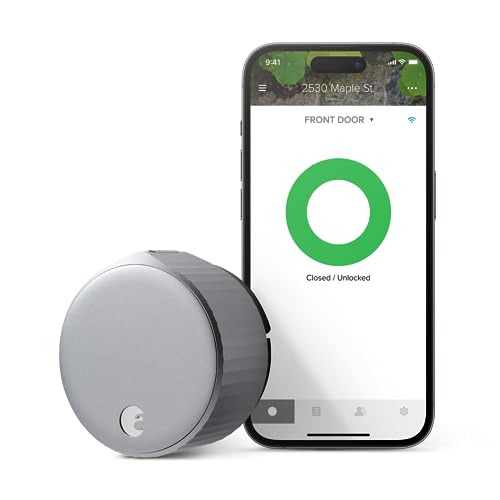
Best for: Users who want to upgrade an existing deadbolt with minimal fit and a straightforward app experience. August locks are known for simple installation and reliable app-based access sharing.
Why selected: It installs on the inside of the door, preserving the look of your existing hardware while offering secure remote access and flexible guest permissions. Great for renters or homeowners seeking quick upgrades.
Limitation: Requires the interior installation, which may not be ideal for doors with unusual configurations; check compatibility before purchasing.
Philips WiFi Smart Door Lock With Handle

Best for: Households needing remote control, multiple password modes, and hands-free voice options. This model emphasizes a balance of remote access and local keypad reliability, with IP54 weather resistance for entry doors.
Why selected: The combination of remote control, voice unlock, and customizable password options makes it versatile for daily use and for guests or service personnel. It emphasizes practical security features and notification capabilities.
Limitation: Physical keys remain as a backup—plan for a strategy to reduce key reliance over time.
Buying Guide
Key factors to consider when choosing a keyless connected smart door lock:
- Connectivity: Decide if you need built-in WiFi (no hub) or will use a hub/bridge. Built-in WiFi offers direct remote access but check router proximity for reliable signals.
- Unlock Methods: Compare app control, passcodes, fingerprints, physical keys, and voice assistants. Consider households with guests or service workers needing temporary access.
- Security Features: Look for tamper alerts, activity logs, code management, and the ability to revoke access quickly. Check battery life expectations and backup entry options.
- Installation and Compatibility: Some models fit most standard doors, while others require specific deadbolts or additional gateways. Review door orientation (left vs. right-handed) and installation time estimates.
- Voice Assistant Support: If you use Alexa or Google Assistant, confirm compatibility and setup steps. Voice control can be convenient but should be paired with secure permissions in the app.
- Weather Resistance and Build: For exterior doors, consider IP ratings and materials that withstand local climate. Matte finishes tend to hide fingerprints and wear.
- Maintenance and Battery: Check battery life, ease of battery replacement, and whether the lock supports emergency power or backup keys.
Product Comparison Snapshot
| Product | Best For | Unlock Methods | Smart Features |
|---|---|---|---|
| PHILIPS WiFi Keypad Door Lock With Handle | Busy households needing no hub | App, fingerprint, keypad, voice | Remote control, real-time status, auto lock |
| PHILIPS Wi-Fi Door Lock With Built-In WiFi | Flexible access for all family members | App, passcode, fingerprint, voice, key | Remote access, multi-password modes |
| Schlage Encode Smart Wi-Fi Deadbolt | Medium to large households needing code management | App, codes, voice | 100 access codes, remote control, notifications |
| August Home Smart Lock | Easy retrofit on existing deadbolt | App, temporary access | Quick install, access sharing |
| eufy Security Smart Lock C220 | High security with AI fingerprint | Fingerprint, app, keypad, voice | 8-month battery, AI learning, remote control |
FAQ
- What is the advantage of a built-in WiFi smart lock?
They connect directly to your home network, enabling remote control without an extra hub. - Can these locks work with Alexa or Google Assistant?
Yes, many models support voice control when paired with the respective ecosystem. - Do these locks support temporary access for guests?
Most models offer one-time or temporary codes or scheduled access via the app. - What is the typical battery life?
Battery life varies by model; some offer several months of use between replacements. - Can I program multiple users?
Yes, most locks support multiple users with configurable permissions and logs.